
Security Risks of Using Co-Pilot in Coding
How Copilot Helps in Development

This document explores the security risks associated with using GitHub Copilot, an AI-powered coding assistant. While Copilot enhances productivity and aids developers in various ways, it also introduces potential vulnerabilities that can compromise software security. This paper outlines the benefits of Copilot, the security concerns it raises, and best practices for mitigating these risks.
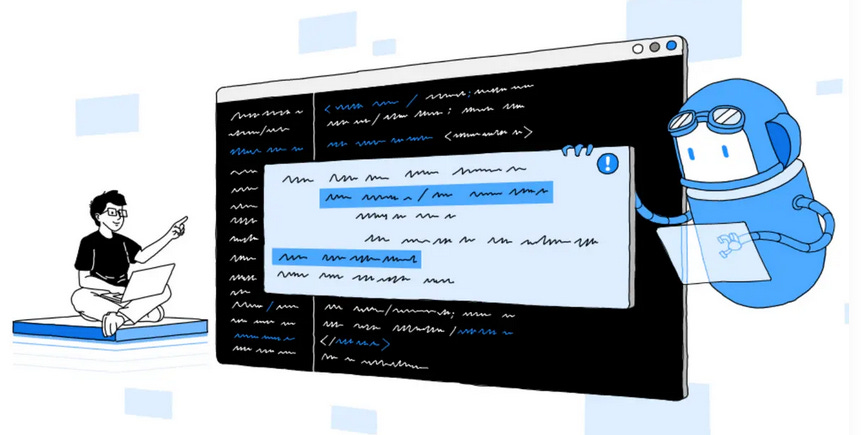
1. Introduction to Artificial Intelligence (AI)
Artificial Intelligence (AI) refers to the simulation of human intelligence in machines that are designed to think, learn, and solve problems. In software development, AI has made significant strides, enabling tools that can assist with writing, debugging, and optimizing code. One prominent application of AI in development is in code generation, where tools can suggest or even write entire functions based on natural language prompts.
2. What is GitHub Copilot?
GitHub Copilot, developed by GitHub in collaboration with OpenAI, is an AI-powered coding assistant. It leverages machine learning models (primarily based on OpenAI's Codex) to help developers write code faster by providing real-time code completions, function suggestions, and boilerplate code generation within supported IDEs such as Visual Studio Code, JetBrains, and Neovim.
3. How Copilot Helps in Development
GitHub Copilot streamlines software development in multiple ways:
Increased Productivity: Speeds up coding by auto-generating repetitive or boilerplate code.
Enhanced Learning: Helps junior developers understand new frameworks or languages by suggesting best practices.
Rapid Prototyping: Allows developers to experiment with ideas quickly.
Multilingual Support: Supports numerous programming languages, making it versatile for different tech stacks.
4. Security Concerns When Using Copilot
Despite its benefits, using Copilot in production code raises several security concerns:
a. Insecure Code Suggestions
Copilot may suggest code that is functionally correct but insecure. For example, it might:
Use outdated libraries with known vulnerabilities.
Construct SQL queries with string concatenation (leading to SQL injection).
Suggest insecure cryptographic algorithms (e.g., MD5 or SHA1).
b. Data Leakage
AI models like Codex are trained on public repositories and may unintentionally reproduce copyrighted, proprietary, or sensitive code.
c. Overreliance on AI
Developers may trust AI-generated code blindly without reviewing it for security implications, increasing the chance of vulnerabilities being introduced into codebases.
d. Lack of Context Awareness
Copilot generates code based on immediate context but lacks a holistic understanding of the entire project or application architecture, potentially missing security requirements like authentication or authorization checks.
e. Inconsistent Coding Standards
AI-generated code might not follow internal security coding guidelines, leading to inconsistencies and technical debt.
5. How to Avoid These Security Risks
Using AI tools like Copilot safely requires adopting proactive security practices:
a. Code Review and Static Analysis
Always review Copilot-generated code.
Use static application security testing (SAST) tools to identify vulnerabilities automatically.
Integrate linters and security checkers into your CI/CD pipeline.
b. Secure Coding Guidelines
Train developers on secure coding practices.
Define and enforce internal standards for secure development.
Validate AI-suggested code against organization-specific security policies.
c. Threat Modeling
Incorporate threat modeling early in the development process.
Consider how AI-suggested features might introduce attack surfaces.
d. Use AI in Sandboxed Environments
Test AI-generated code in isolated environments before integrating into production applications.
e. Audit AI Code Contributions
Maintain logs of code suggestions and their sources.
Track the origin of potentially insecure snippets for accountability.
6. Best Practices for Secure Use of AI in Development
Educate Teams: Train developers to treat Copilot suggestions as drafts, not final implementations.
Complement AI with Human Expertise: Use AI as an assistant, not a replacement for security reviews and secure design.
Continuously Monitor and Patch: Monitor applications for vulnerabilities even after deployment and ensure prompt patching.
Stay Updated: Follow updates from GitHub and OpenAI on changes to Copilot’s capabilities and known risks.
Conclusion
GitHub Copilot represents a powerful step forward in AI-assisted development. However, it must be used responsibly. While it accelerates development and enhances productivity, its suggestions may inadvertently introduce security flaws. Developers and organizations must adopt secure coding practices, perform rigorous reviews, and treat AI-generated code with the same scrutiny as human-written code.
AI can be a powerful ally in software development—but only when paired with a strong security mindset.